Create item
Earlier-interface video. Follow the written steps below for the current workflow; sample values are illustrative. Any tax values shown are not guidance for the current transaction.
Create an item before using it in purchase, sales or inventory documents. Have its name, item type and stock unit ready.
The video and existing illustrations show earlier interface states; use the written steps for the current flow.
Create the item
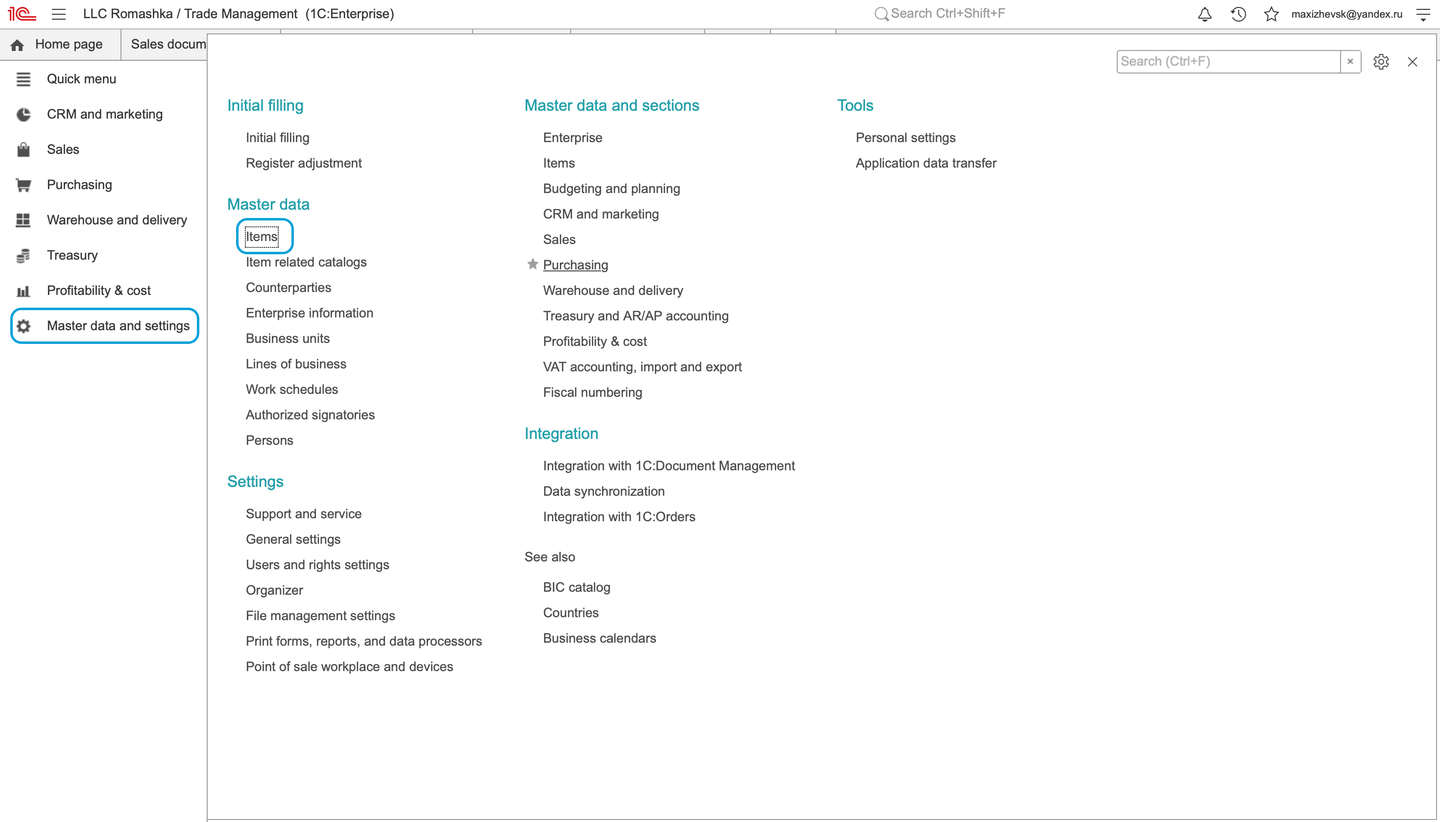
- Open Master data and settings and choose Items. The item list is titled Items.
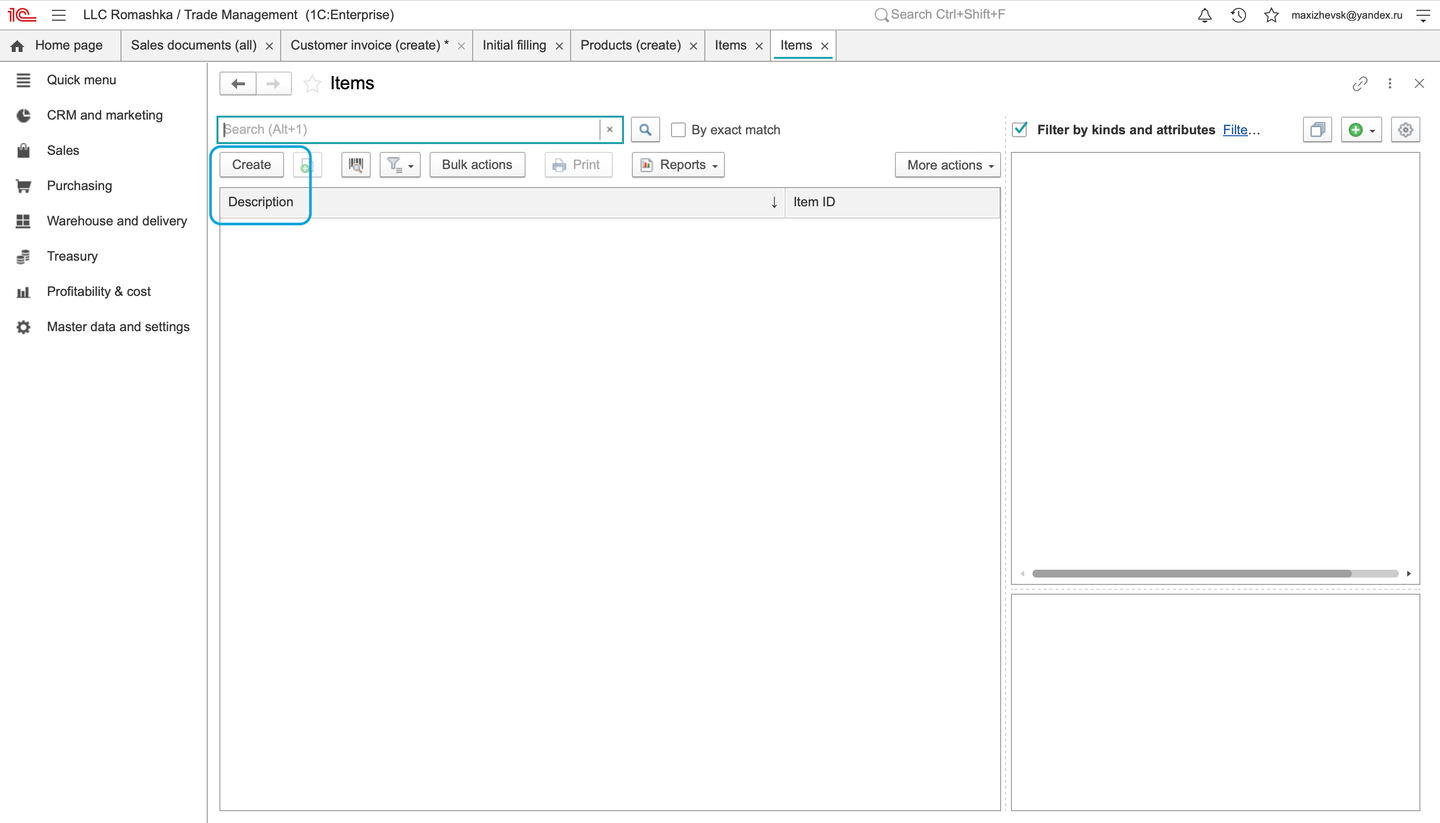
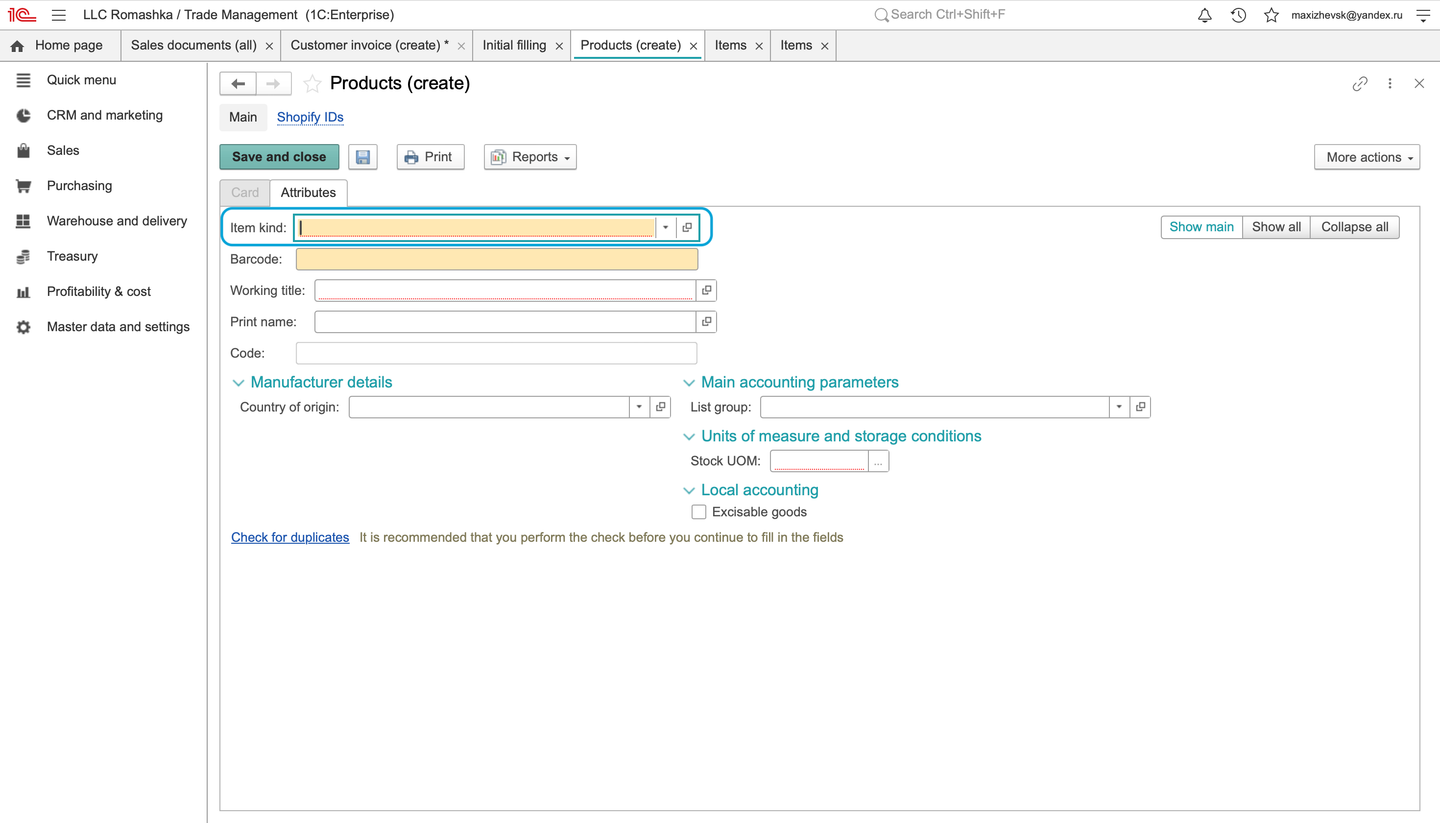
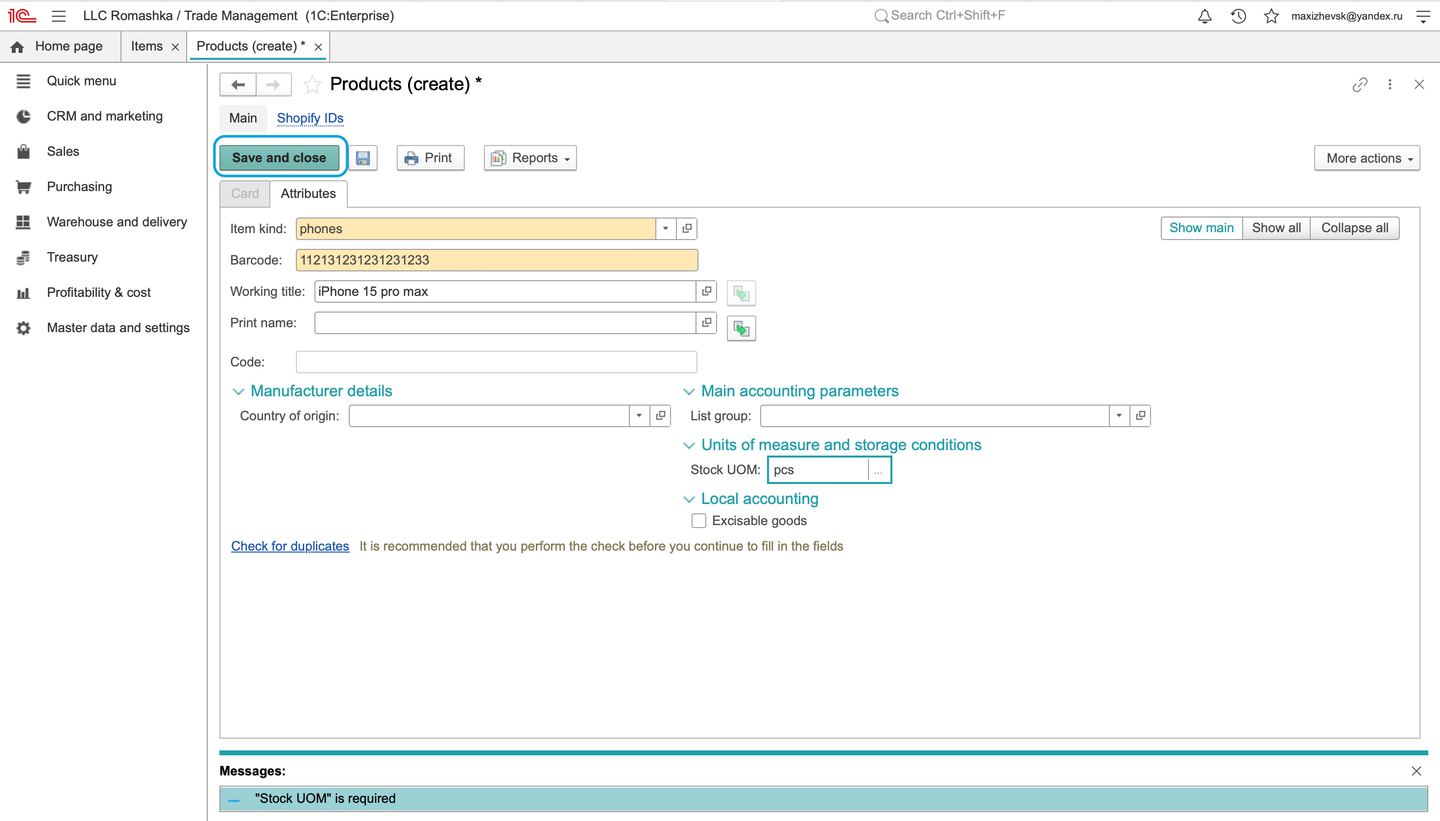
- Click Create and select an existing Item type that matches the item. The type can provide default settings, so review those inherited values.
- Enter the Working title and Print name. Use a name that clearly identifies the item in lists and printed documents.
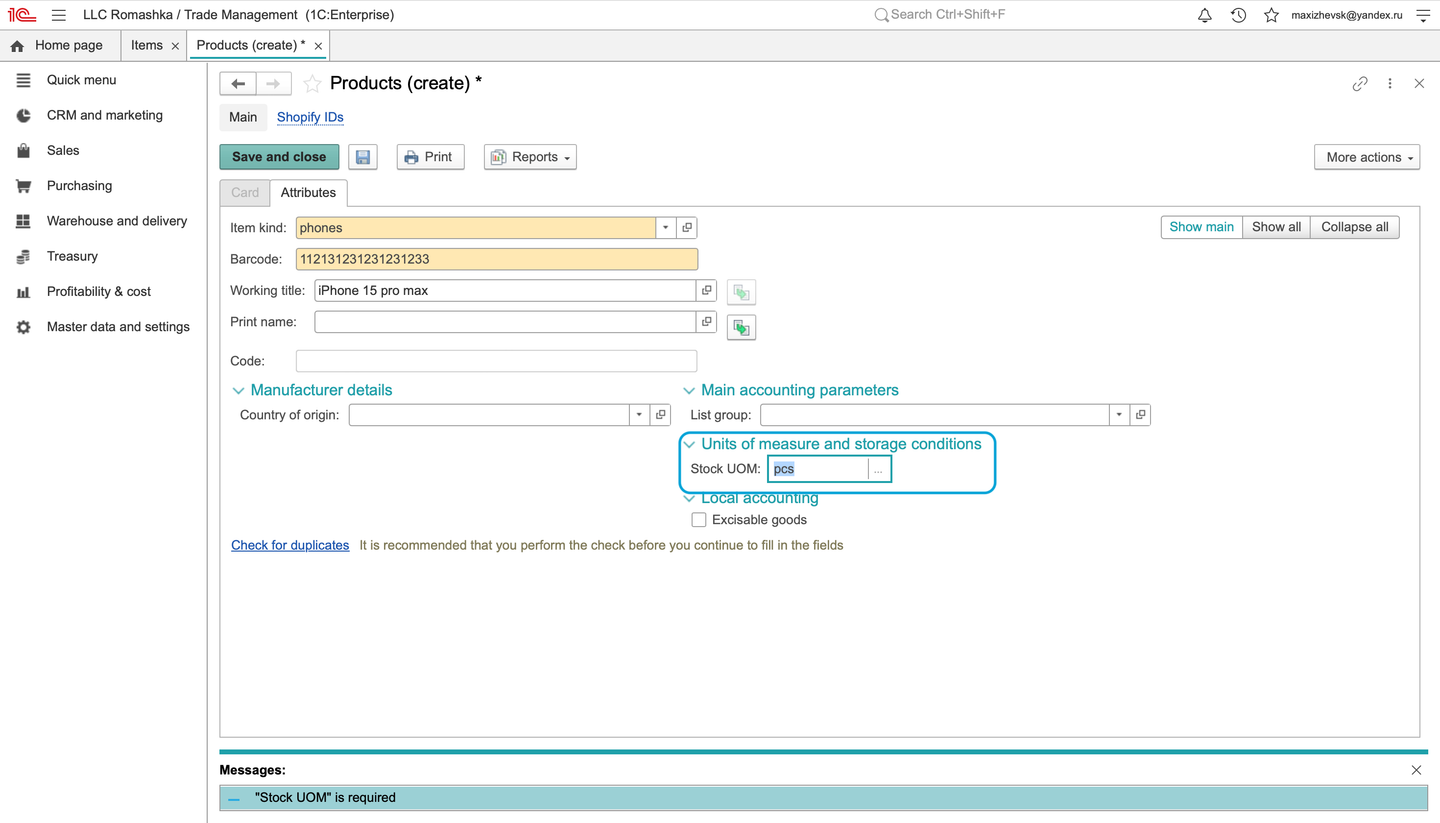
- In Stock UOM, open the unit selector. You can use F4 to open Select unit. Choose an existing catalog unit rather than entering an informal abbreviation. For a piece-based item, select PCE/NMB when available; the saved card displays PCE.
- Enter a Barcode if your process uses one. Leave it empty if a barcode is not required for this item.
- Review the other inherited settings, including VAT. Confirm that the selected VAT setting is appropriate for the item; the default name alone does not establish a numeric rate.
- Choose Save and close.
Check the result
Find the item in Items by its name. Reopen it and check the item type, working and print names, and stock unit. A successful save displays Added.
If something goes wrong
- If a unit such as
pcsis not found, open the catalog selector and search for the catalog's name or code. The piece unit may be listed as PCE/NMB. - If an expected field or default differs, check the chosen item type before changing the item.
- If the item is missing from the list, review the current filters and search for its working title.
Existing illustrations
These previously published images illustrate navigation, item selection and the stock-unit field. They are retained as a visual reference and were not captured during the current check.
Continue with purchase orders or sales orders.